




Open-sourcing canvas-mcp, a read-only Canvas connector.
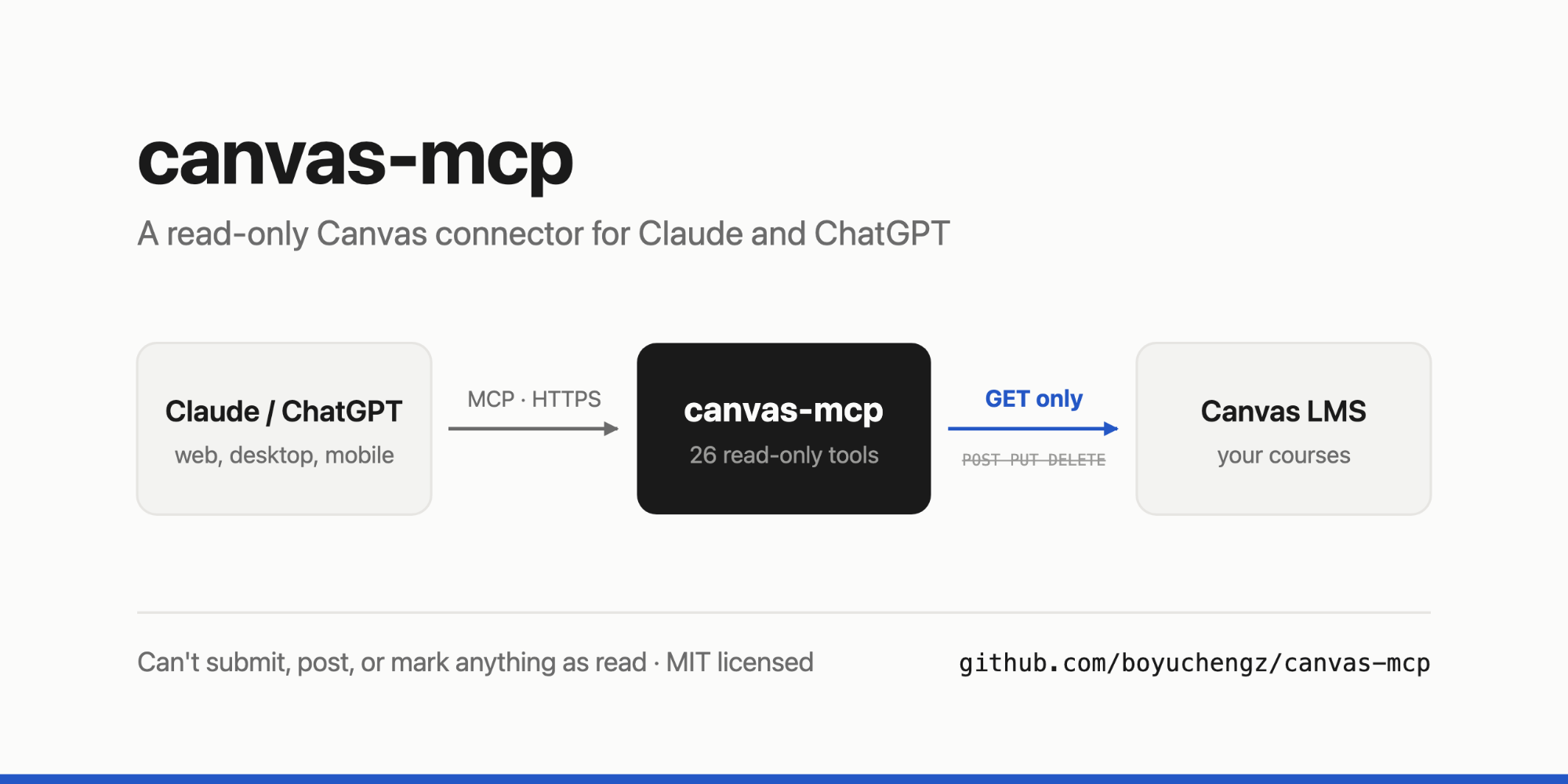
Since September, I've been asking Claude about my classes instead of clicking through Canvas. Today I'm open-sourcing it.
github.com/boyuchengz/canvas-mcp
What it is
canvas-mcp is a Model Context Protocol (MCP) server. MCP is a standard for giving AI assistants like Claude and ChatGPT access to external tools and data. You deploy the server with your Canvas access token, then add its URL as a custom connector. The assistant can then look things up in Canvas when you ask.
Its 26 tools cover most of what a student opens Canvas for:
deadlines across all courses, the To Do list, and missing work
assignment instructions, rubrics, your scores, and instructor comments
current grades and the weight of each course's assignment groups
syllabuses, modules, pages, files, announcements, discussions, and the Inbox
There are already plenty of these
Canvas MCP servers aren't new. A GitHub search turns up dozens. The most complete one I know of, vishalsachdev/canvas-mcp, has around a hundred tools and supports both instructors and students. If you want breadth, start there.
I built my own because I wanted something narrower and wanted to understand every line of a program holding my Canvas token. That led to a few design decisions.
Read-only, and tested that way
The server can't change anything in Canvas. Read-only access isn't a setting you can turn off: the Canvas client can only send GET requests, and the test suite checks that every tool call follows that rule.
That took more than avoiding POST requests. Canvas marks an Inbox conversation as read when you open it, so the server fetches messages with auto_mark_as_read=false. Asking Claude about a message shouldn't change what I see in Canvas afterward.
Remote, so it works on a phone
Many MCP servers run locally alongside a desktop app. I wanted to use mine from my phone too, so canvas-mcp runs as a small web service. Mine is on Railway. It works anywhere Claude or ChatGPT does, including their mobile apps.
Running it remotely has a cost: the connector URL contains a long random secret, and anyone with that URL can use it. That's the main reason read-only access matters to me. If the link leaks, someone could read my Canvas data, though they couldn't submit or delete anything in my name. A wrong secret gets the same 404 response as any missing page, and the server compares secrets in constant time.
The token only goes to Canvas
Canvas splits long lists into pages and provides links to the next page. The server follows those links only if they point to your own Canvas instance, so a malformed response can't make it send your token elsewhere. File downloads use Canvas's temporary signed links and don't carry the token.
Short answers
Canvas responses contain a lot of HTML and fields that don't help answer the question. Each tool converts HTML to plain text and keeps only the useful fields. Smaller responses leave more of the context window for the conversation.
What it doesn't do
Each deployment serves one person because the server acts as the token's owner. It doesn't read PDFs or slides; it returns download links for those. It's built for students, so it has no tools for grading or managing a course. If you need those features, one of the larger projects will suit you better.
Some schools restrict personal access tokens, so check your school's policy before setting this up.
Try it, or help out
Setup takes about ten minutes: create a Canvas token, deploy the server, and paste its URL into Claude or ChatGPT. The README covers Railway, Render, Fly.io, and self-hosting.
Contributions are welcome. I'd especially like help with:
extracting text from PDF lecture slides
tools for parts of Canvas I haven't needed yet, like peer reviews
testing on Canvas instances other than Illinois
The one rule is that everything stays read-only.
If you try it, I'd like to hear what you end up asking it.